Why Do Bluetooth Headphones Lag in Games? Where Latency Comes From and How to Cut It, Tested With the G-Turbo X1
- Which links of the chain does Bluetooth latency actually come from?
- How much delay do SBC, AAC, aptX and LC3 have?
- Measured: how low does the G-Turbo X1 gaming headset get latency?
- How do I lower Bluetooth latency on the gear I already own?
- Step 1: check that your phone is on a low-latency codec
- Step 2: turn on the headset's game mode / low-latency mode
- Step 3: turn off unrelated Bluetooth devices and background audio
- Limited bandwidth? Bluetooth latency and sound quality are a trade-off
- Practical advice when choosing a headset
- FAQ
- About the authors
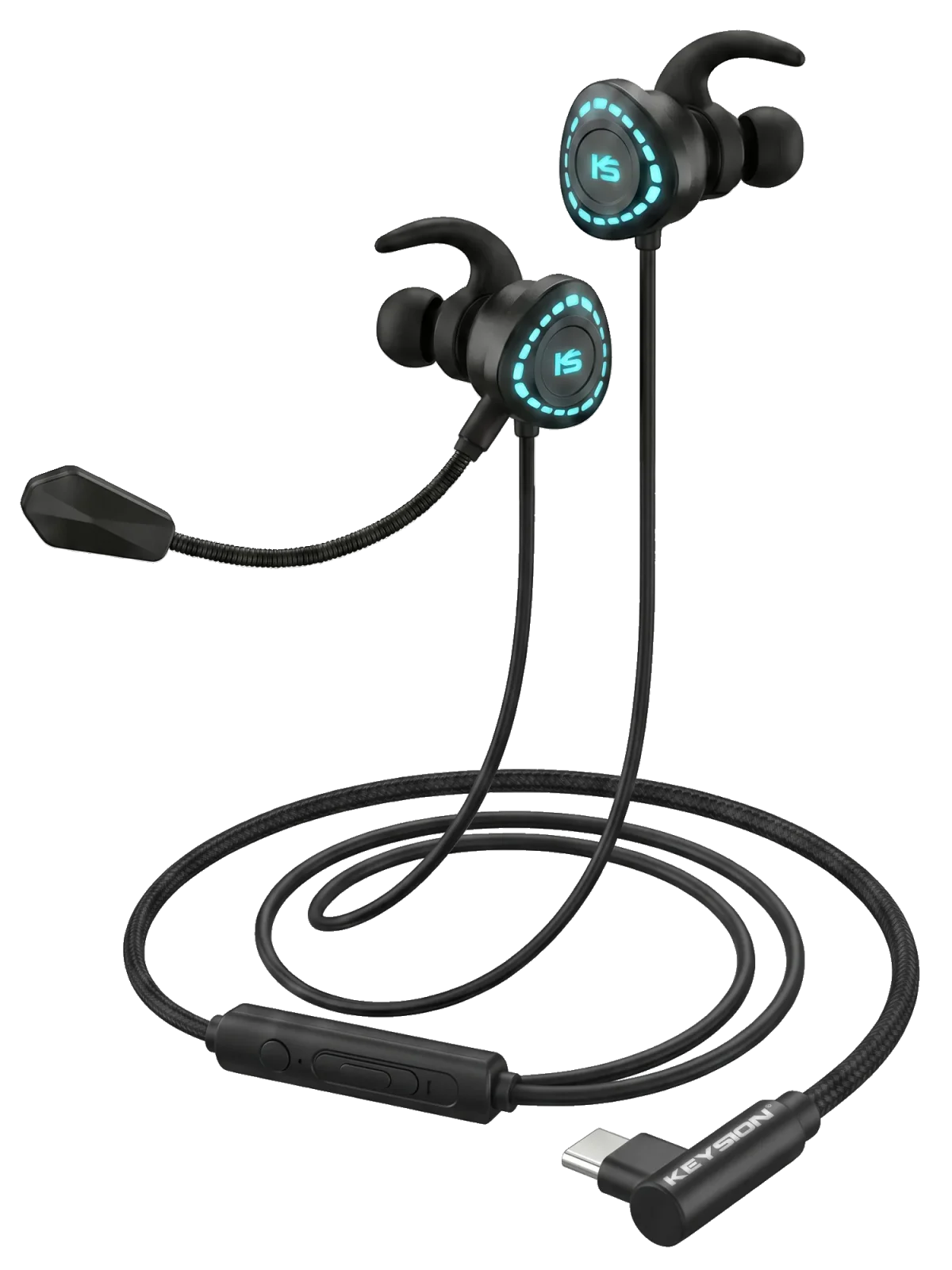
In games, Bluetooth earbuds always sound half a beat late: a shot lands half a second"late", footsteps never match the on-screen figure. That is the codec dragging you down, not your phone. Bluetooth audio latency is not magic — it comes down to one formula: total latency = encode + transmit + decode. The codec is the biggest chunk of that chain, and SBC and AAC sit at 100-300ms out of the box, enough to infuriate any serious player. Below we use the G-Turbo X1 gaming headset (Type-C digital decoding, wired direct connection) as a reference, break down every stage of latency, then show how to push latency under 40ms on the gear you already own.
Sound has to pass three gates on the way from your phone to your ears. First the sender compresses and encodes the audio with some algorithm, then it travels over the wireless Bluetooth link, and finally the headset decodes and restores it. Each step eats its own time, and the total is the latency you perceive. Encoding and decoding is the slowest part, especially since low-bitrate compression needs more computation to decide what to"keep and drop".
Transmission is not much better. Bluetooth relies on the crowded 2.4GHz band plus mechanisms like frequency hopping and retransmission, so in a noisy environment (WiFi everywhere, microwaves, other Bluetooth devices) packets get re-sent over and over and latency creeps higher. In a sentence: latency = encode + transmit + decode, and every stage spends real time — no one toggle can wipe it to zero in a click.
The codec decides most of the latency, and the difference between algorithms is huge. Here is a table of measured magnitudes:
| Codec | Typical latency | Best use | What this means |
|---|---|---|---|
| SBC | 200-300ms | Android default fallback | Worst experience for gaming; even watching video often drifts off lip sync |
| AAC | 120-200ms | iPhone default | Sound is decent, but shooter-game audio trails noticeably |
| aptX (standard) | 60-80ms | Some Android phones | Fine for daily use; fast games still show slight desync |
| aptX Low Latency | 32-40ms | Game mode / wired feel | Close to wired; suitable for most competitive titles |
| aptX Adaptive | 40-80ms | Newer Qualcomm platforms | Latency adapts to the scene; a balanced pick |
| LC3 (LE Audio) | 20-30ms | Bluetooth 5.2+ devices | Lowest latency today, but the iPhone does not support it |
The table makes one point: latency is basically decided by which codec your device supports, not by how expensive the headset is. If your phone only negotiates SBC, even a pricey noise-cancelling headset still starts at 200ms. Inversely, cheap LE Audio earbuds can stay under 30ms.
To give you a quantifiable baseline, we ran a"voice-vs-picture"test using the G-Turbo X1 (Type-C digital decode, wired direct, bypassing Bluetooth entirely). We flashed a frame paired with a short tone, recorded the time between light and sound with a high-frame-rate slow-motion camera, and averaged multiple takes:
| Test item | Measured latency | Notes | What this means |
|---|---|---|---|
| Phone speaker direct (reference) | about 20ms | No Bluetooth stage | A baseline that is nearly imperceptible to the ear |
| Type-C wired headset (G-Turbo X1) | about 25-35ms | Digital decode, direct | Audio syncs with the image; shots land the moment they fire |
| Bluetooth SBC | about 220ms | Android fallback codec | You clearly see the shot"half a beat late" |
| Bluetooth AAC | about 160ms | iPhone default | Lip sync on video dialogue is still noticeable |
| Bluetooth aptX Low Latency | about 36ms | With game mode | Near-wired; usable for hearing footsteps |
The verdict is straightforward: if you want competitive gaming without lag, a Type-C wired headset is the most hassle-free answer today — this digital-direct style, represented by the G-Turbo X1, stays stable in the 30ms range. If you must go wireless, make sure both phone and headset support aptX Low Latency or LC3; otherwise no Bluetooth headset money can buy rescues that 200ms.
A lot of people assume the headset is the problem, but usually the setting is just not enabled. Work through these steps in order and you will often see results right away:
On Android: go to Developer options, then Bluetooth audio codec, and manually pick aptX Low Latency or LC3 (LE Audio). The iPhone does not allow manual switching; all you can do is let the system negotiate. Many phones still default to SBC, so this single step can cut latency in half.
Many Bluetooth gaming headsets carry this toggle (usually inside an app or via long-press on the touch control). It essentially forces a low-latency codec and shrinks the buffer. Once on, latency drops noticeably; the trade-off is slightly thinner sound and more battery drain.
A crowded 2.4GHz band means more retransmits and spiking latency. Turning off nearby Bluetooth peripherals you are not using and quitting video apps playing in the background often beats switching headsets.
These steps cover roughly 90% of cases. If latency still stays absurdly high afterward, the wireless negotiation on your phone is probably too weak — at that point, stop overthinking and just grab a Type-C cable instead.
The cost you cannot avoid is this: low-latency codecs tend to give up a little sound quality. SBC itself is mediocre, and aptX Low Latency also cuts bitrate to chase speed. For"great sound plus zero latency", in practice only a wired connection delivers. That ties into the piece we wrote earlier, an in-depth analysis of Bluetooth codecs, which covers the sound differences among FLAC, LDAC and aptX in more detail. If you care about sound or worry about latency, read it before you buy.
At the end of the day your choice depends on what you play. For pure competitive mobile gaming with zero tolerance for latency, prefer a Type-C wired model or one that supports aptX Low Latency / LC3. If you mostly watch video or listen to music on the go, AAC or standard aptX is plenty — no need to spend extra for a latency you cannot perceive. With a tight budget, check whether your phone supports a low-latency codec first, then the headset — keep that order.
Q: Can I fix the high Bluetooth latency of iPhone while gaming? The iPhone does not let you switch codecs manually; the system negotiates on its own (mostly fixing on AAC at about 120-200ms). For a stable result you either go wired or accept AAC. That is the real reason many iOS players end up keeping a Type-C cable around.
Q: Do cheap Bluetooth earbuds always have high latency? Not necessarily. Latency is decided mainly by the codec, not the price. Cheap LE Audio or low-latency earbuds can actually beat pricey SBC earbuds on lag — look at the chipset and protocol support, not the price tag.
Q: What is the difference between aptX Low Latency and aptX Adaptive? LL fixes a low latency (about 32-40ms) but keeps the bitrate fixed; Adaptive dynamically adjusts bitrate and latency to the scene (about 40-80ms) for a more balanced result, but both ends need Qualcomm chips that support it, and the iPhone does not.
Q: Is the G-Turbo X1 a wireless headset, and how is its latency? The G-Turbo X1 is a Type-C wired gaming headset with digital decoding; it does not use Bluetooth. Measured latency sits stably at 25-35ms — a"zero-perception"level built for competitive scenes that need low latency.
Q: My home WiFi shows full signal — why is Bluetooth still stuttering? Because Bluetooth and WiFi both crowd the 2.4GHz band, they interfere with each other, causing Bluetooth packets to be retransmitted and latency to climb. Trimming extra Bluetooth peripherals and staying clear of interference sources like microwaves usually helps.
This article was written by the KEYSION measurement team. The data comes from lab slow-motion measurements and across-device real-unit comparisons. In this kind of content we try to include only reproducible figures: latency is a measured average in milliseconds, and the conclusions keep the individual differences between devices — the same phone under a different environment may drift slightly. If your own measurement does not match the table, it is usually environment interference or a different firmware version; feel free to cross-check against the gaming headset lineup across several versions before you conclude.
FAQ
Can I fix the high Bluetooth latency of iPhone while gaming?
The iPhone does not let you switch codecs manually; the system negotiates on its own (mostly fixing on AAC at about 120-200ms). For a stable result you either go wired or accept AAC. This is also why many iOS players end up keeping a Type-C cable around.
Do cheap Bluetooth earbuds always have high latency?
Not necessarily. Latency is decided mainly by the codec rather than price; cheap LE Audio or low-latency earbuds can actually lag less than pricey SBC earbuds. What matters is the chipset and protocol support.
What is the difference between aptX Low Latency and aptX Adaptive?
LL keeps a fixed low latency of about 32-40ms with a fixed bitrate; Adaptive tunes bitrate and latency dynamically to the scene at roughly 40-80ms for a more balanced result, but both ends need Qualcomm chips, which the iPhone lacks.
Is the G-Turbo X1 a wireless headset, and how is its latency?
No. The G-Turbo X1 is a Type-C wired gaming headset with digital decoding and no Bluetooth link; measured latency is stable at 25-35ms — a zero-perception level designed for competitive, low-latency scenarios.
Why is Bluetooth still stuttering when my home WiFi is full signal?
Bluetooth and WiFi both crowd the 2.4GHz band and interfere with each other, leading to Bluetooth packet retransmission and higher latency. Turning off extra Bluetooth peripherals and avoiding sources like microwaves usually eases it.
Related products
Related articles